
For artists and art directors · Updated 9 October 2026
Draw over artwork on your Mac with Apple Pencil
Composition lines over a painting, proportions over a sketch, notes on a render. Draw on top of any artwork on your Mac with Apple Pencil, without touching the file.
Quick answer
PadCanvas lets artists and art directors draw over anything on the Mac screen from an iPad with Apple Pencil, or from an iPhone. Mark composition, proportion or lighting on top of an image, sketch over a reference, or give feedback on a render, while the artwork itself stays untouched. It suits critiques, classes, art direction calls and tutorials. It isn’t a replacement for a drawing tablet inside Photoshop or Procreate. For that, use Sidecar or a tablet app.
Critiques and art direction
Open the piece on the Mac and draw your notes on top: a rule-of-thirds grid, a line showing the gesture, a circle around the edge that needs softening. Because PadCanvas draws on an overlay, the original file is never changed. Clear the marks and start again, or save the drawing on your Mac.
Work with references
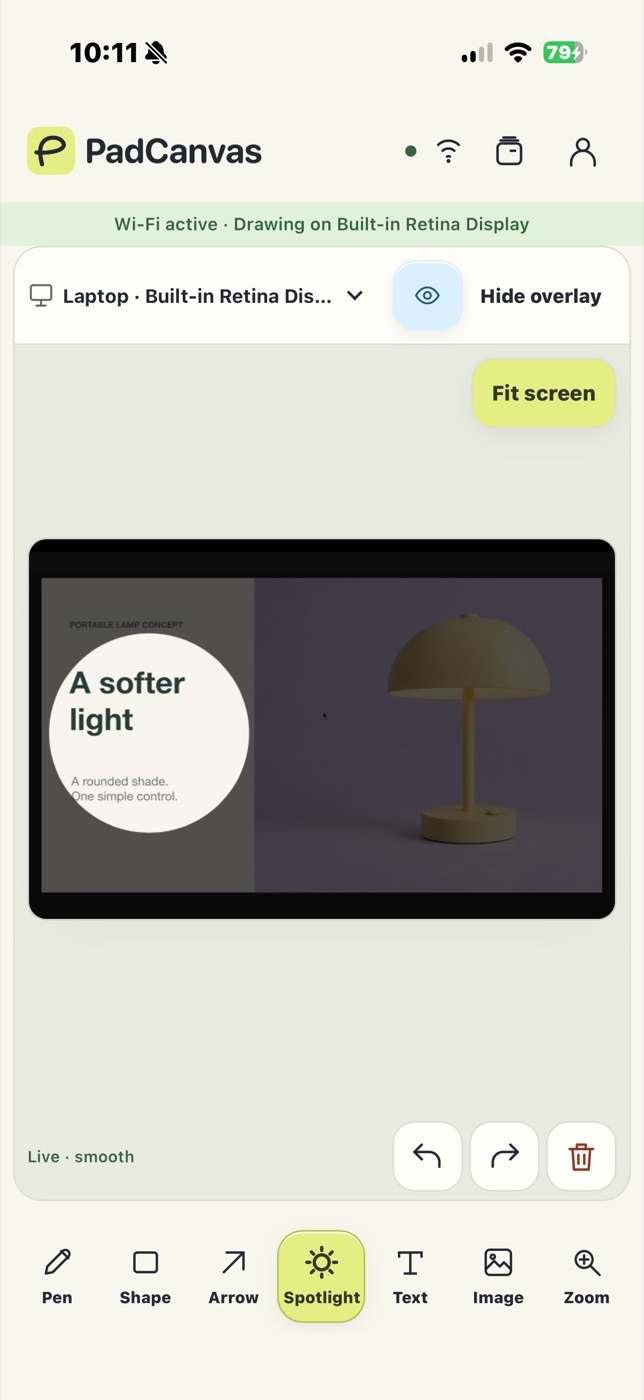
Bring a reference image into your PadCanvas project, then move, rotate and resize it from your iPad. Draw over it to show the construction, or spotlight one area while you talk about it.
Classes, tutorials and streams
Teach in the room on a projector, or on a call by sharing the whole display (how). If your recording or streaming software captures the whole display, your marks are part of the picture. Test your setup before going live.
What PadCanvas isn’t
PadCanvas doesn’t send Pencil strokes into Photoshop, Procreate or Clip Studio, and it doesn’t edit your files. It draws on a layer over the screen for explaining and feedback. To paint inside a Mac app with Apple Pencil, Apple’s Sidecar or a dedicated tablet app is the right tool. PadCanvas vs Sidecar explains the difference.
Questions
Can I paint in Photoshop with it?
No. PadCanvas draws over the screen for explaining and feedback; it doesn’t send strokes into other apps. For drawing inside Mac apps, use Sidecar or a tablet app.
Does it work with Apple Pencil?
Yes, on iPads that support Apple Pencil. You can also draw with a finger on iPhone or iPad.
Does it change my artwork?
No. Marks sit on a separate overlay above the screen, so the file underneath is never touched.
Try it on your own screen
Seven days free, then £4.99 a year. The iPhone & iPad companion is included.
Requires an Apple silicon Mac (M1 or later) with macOS 14 or later, and an iPhone or iPad with iOS or iPadOS 16 or later. Apple Pencil works on compatible iPads.