
For presenters · Updated 9 October 2026
Annotate your presentation as you give it
Talks, team meetings, webinars and client calls. Leave the laptop, keep the pen in your hand, and make every point land on the big screen.
Quick answer
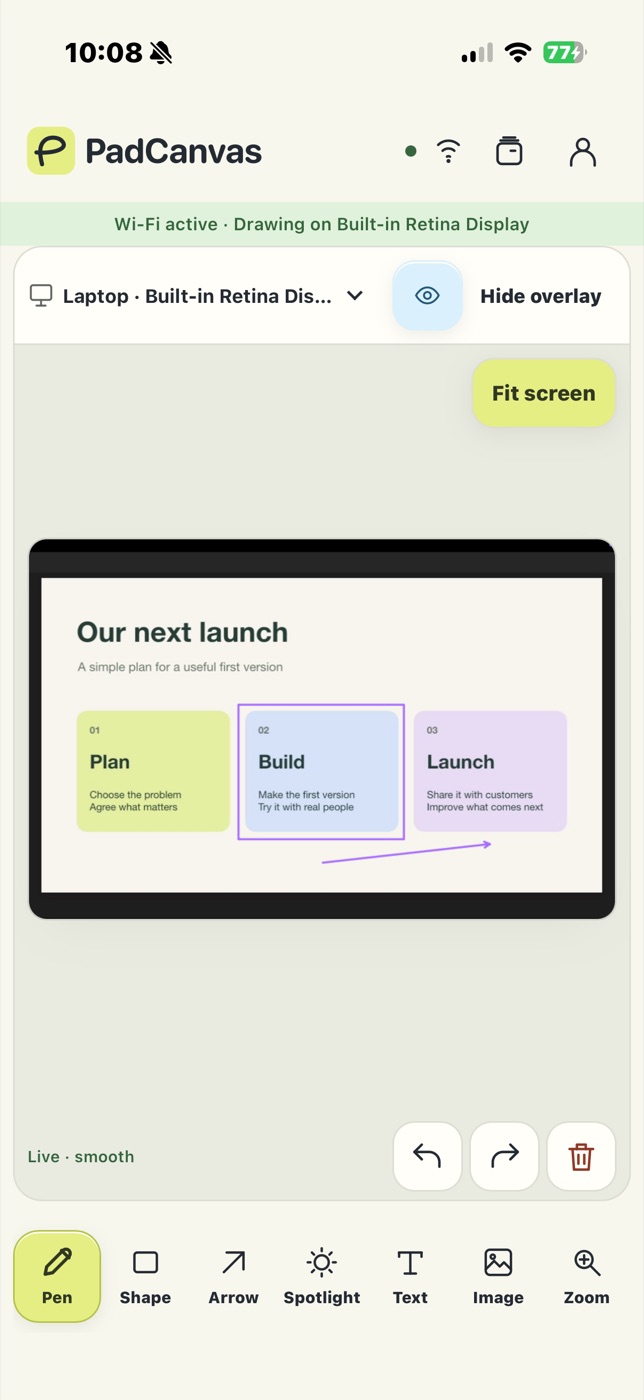
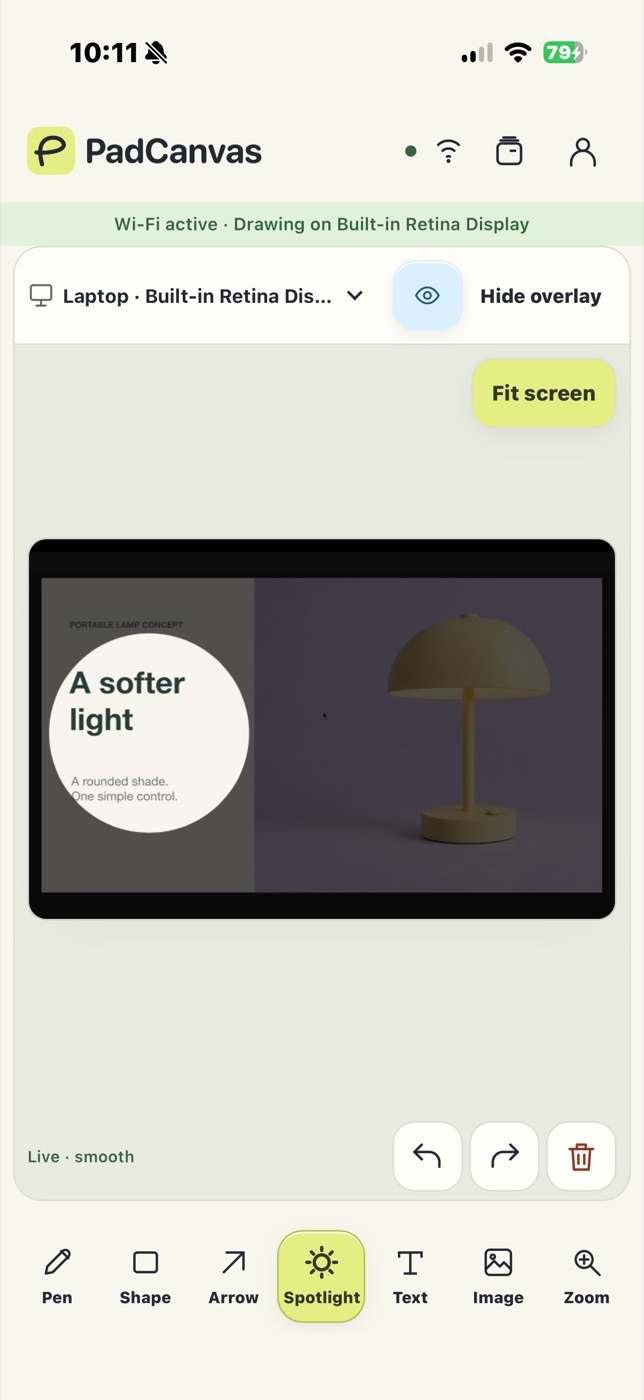
PadCanvas turns your iPhone or iPad into a pen for your Mac while you present. Circle the number, underline the takeaway, draw an arrow or spotlight one part of the slide, and your audience sees it on the projector, TV or video call. It works over Keynote, PowerPoint, Google Slides, PDFs and websites because it draws on the Mac’s screen itself. With Google Slides in Chrome, you can change slides from the same device.
In the room
Connect your Mac to the projector or TV and pick that display in PadCanvas. Walk away from the lectern with your phone or iPad, and circle, underline or spotlight as you talk. USB is the most dependable connection; Wi‑Fi gives you room to move.
Hand the pen to the room: colleagues can join from their laptop’s browser (Chrome or Edge) and draw too, once you click Allow.
On video calls
Share your entire display in Zoom, Google Meet or Teams and your marks come along. Make a test mark with a colleague before you start (how to share).
Slides and decks
Draw over Keynote, PowerPoint, Google Slides or a PDF. With Google Slides in Chrome, Previous and Next appear on your device too (setup). Turn on drawing timeout so marks fade before the next slide, or use Clear.
Tips for a smooth talk
- Connect and make a test mark before the audience arrives.
- Hide your drawings for a clean screen, then show them again.
- Spotlight one paragraph instead of reading it out.
- Keep the app open on your device while you present.
Questions
Does it work with Keynote and PowerPoint?
Yes. PadCanvas draws on the Mac’s screen, so it works over Keynote, PowerPoint, Google Slides, PDFs and websites.
Can I change slides from my phone?
Yes, with Google Slides in Chrome: turn on Slide remote in PadCanvas on your Mac, and Previous and Next appear on your phone. Keynote has its own remote.
What does the audience see?
Your Mac’s screen with your marks on top. You choose tools on your iPhone or iPad.
Try it on your own screen
Seven days free, then £4.99 a year. PadCanvas for iPhone and iPad is included (UK App Store).
Requires an Apple silicon Mac (M1 or later) with macOS 14 or later, and an iPhone or iPad with iOS or iPadOS 16 or later. Apple Pencil works on compatible iPads.