
For product and design teams · Updated 9 October 2026
Point at the exact pixel in reviews and demos
Design reviews, product demos, code walkthroughs, support calls. Stop describing where to look and show it.
Quick answer
PadCanvas lets you mark up anything on your Mac screen, live, from an iPhone or iPad. Box a button, draw an arrow to a chart, add a short note or spotlight one line of code, in the room or on a call. Marks come from the device in your hand, so the Mac stays free for the demo.
Design and website reviews
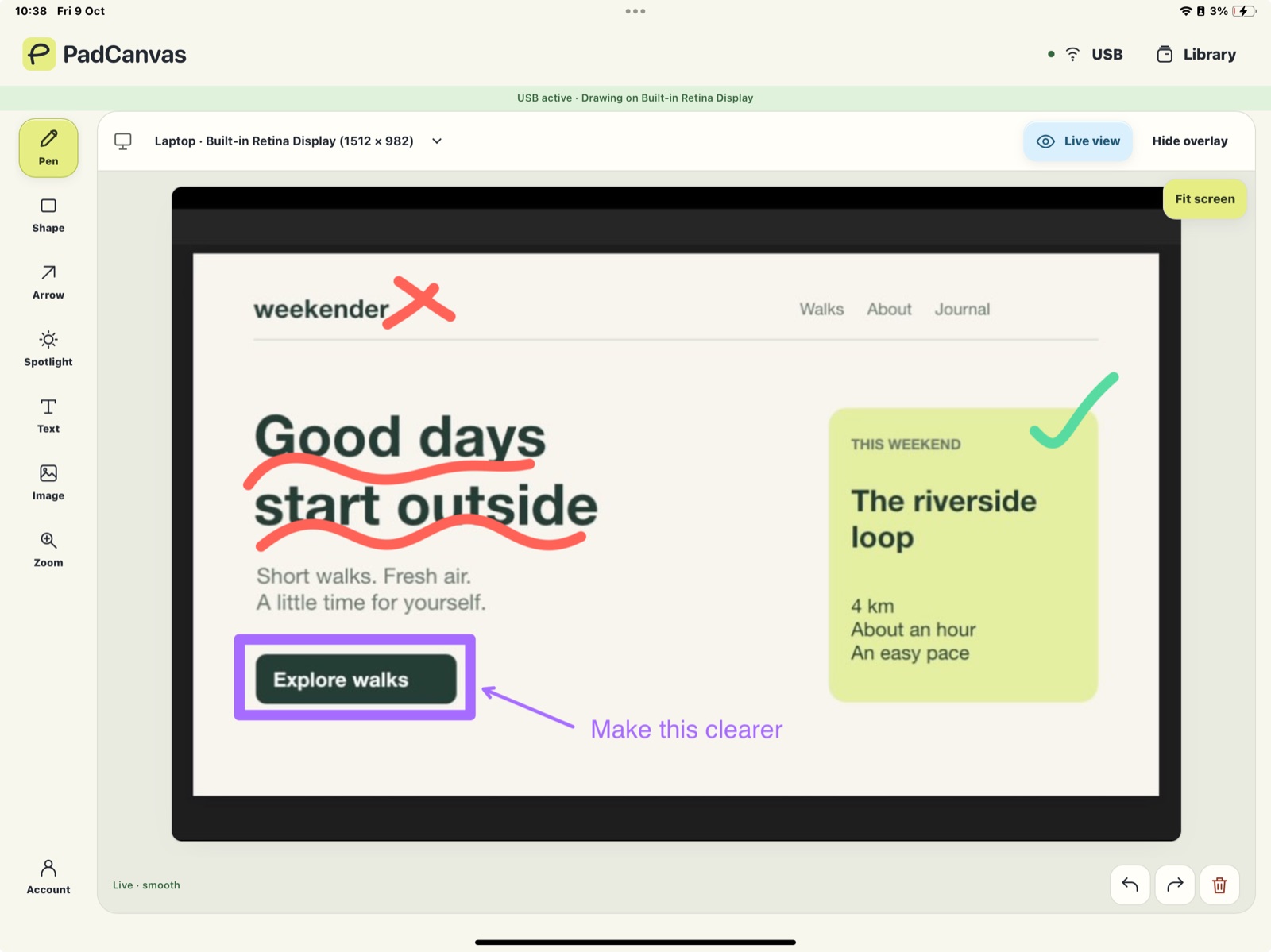
Open the page or design on the Mac, then circle, box and annotate from your iPad while everyone watches. Text notes like “Make this clearer” sit right on the screen. Save the drawing or project on your Mac to come back to it later.
Code walkthroughs
Use the spotlight to dim everything except the function you’re explaining, then draw an arrow to the line that matters. Zoom in when the font is small.
Demos and sales calls
Keep driving the demo with the trackpad while the device in your other hand adds the marks. Share your whole display in Zoom, Meet or Teams so the marks come along (how).
Safe for real work
Every device needs approval on the Mac. Drawing and live view stay on the direct connection between your devices and aren’t relayed through PadCanvas servers. There are no ads or analytics trackers.
Questions
Can colleagues draw on my screen?
Yes. Approved guests can join from Chrome or Edge on the same local network, alongside your own iPad or iPhone. You approve each one on the Mac.
Can I keep the annotations?
Yes. Save a drawing or a whole project on your Mac and bring it back later.
Try it on your own screen
Seven days free, then £4.99 a year. The iPhone & iPad companion is included.
Requires an Apple-silicon Mac with macOS 14 or later, and an iPhone or iPad with iOS or iPadOS 16 or later. Apple Pencil works on compatible iPads.